
Back-in-Stock Alert: turn out-of-stock products into lead magnets.

Out of Stock is a common issue for ecommerce brands.
Out of stock products not only represent a loss of sales, but can also create frustration among customers.
Fortunately, there are strategies and automations that can help effectively manage the Back-in-Stock, the announcement of a product's new availability after being out of stock.
In this article, we will explore best practices and tips for setting up back in stock automations in an e-commerce store and turn this apparent issue into an opportunity to increase revenue.
Table of Contents
How to manage out-of-stock products in an e-commerce?
There are several ways to handle out-of-stock products for an e-commerce.
Some brands choose to hide the product page, in order to avoid creating unmet expectations.
Others, instead, decide to keep the page active, but use a form to collect contacts of users waiting for the back-in-stock.
The choice between these different approaches should be guided by the reason behind the product's unavailability.
A product may no longer be available on the e-commerce because:
- it has been permanently withdrawn from the market
- the warehouse stocks are temporarily depleted
- the sale (and production) of some items is subject to seasonal dynamics
From an SEO perspective, correctly communicating to Google the reason for non-availability is certainly important to maintain a good reputation for your online store.
For products permanently withdrawn from the market, the status code 410 (Gone) can be used to expedite the removal of the page from Google's index. An alternative is Redirect 301, especially useful if the page receives valuable backlinks from other websites or blogs. In this case, it is possible to redirect users to a closely related product or to the category page to which the sold-out product belongs.
In my opinion, it is important that the visitor is always aware that the product they clicked on is not available.
My advice is therefore to always keep the page active.
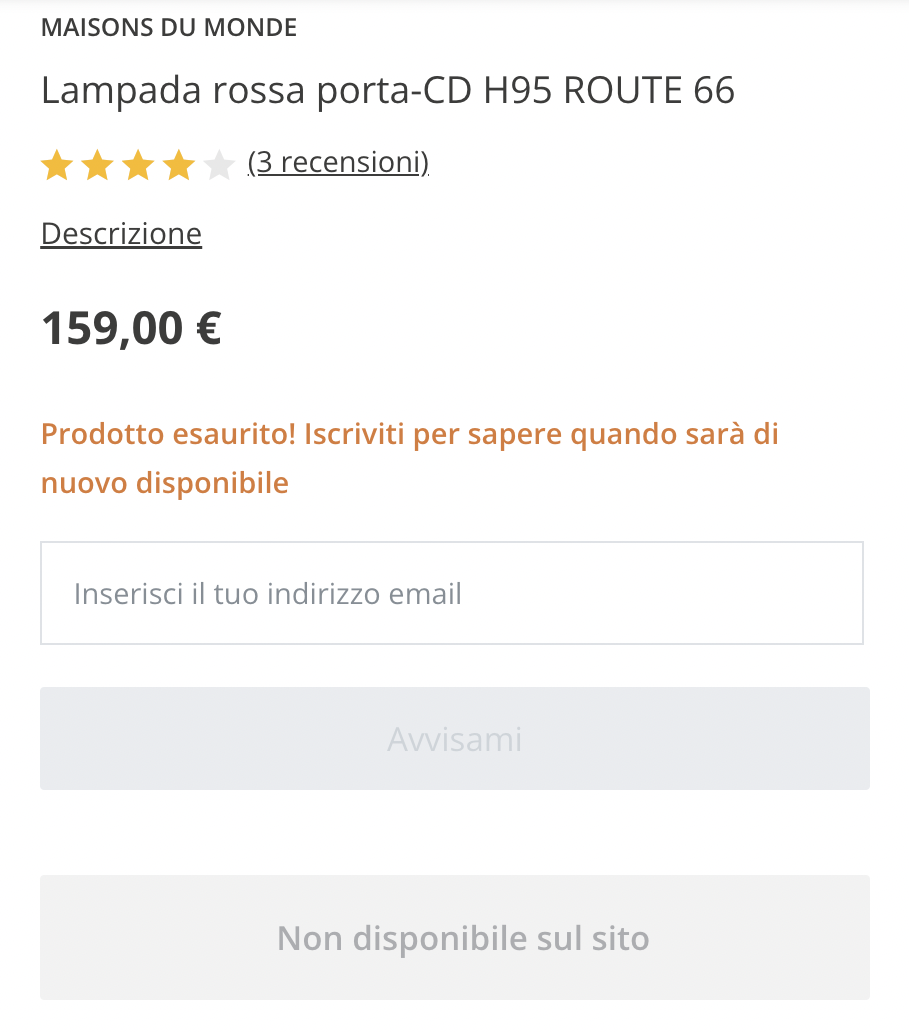
- If the product is no longer available permanently, communicate it and explain the reasons. Then, of course, insert a carousel of similar products, maybe also explaining why to choose them (better products, more up-to-date, new collections,...).
- If instead the unavailability is temporary, it is useful to collect customers' contacts, replacing the "Add to Cart" button with a form that allows entry into a kind of waiting list to wait for the Back-in-Stock.
The CTA will be, clearly, "Notify me when the product is back in stock". - Confirm to the customer that they will be the first to be notified when the product becomes available again and anticipate what they can expect from your next emails.
- Inform users about the restocking timing.
- Highlight similar or alternative products.
- Keep attention high so as not to miss the opportunity to purchase the desired product.
- Let's not forget to send an immediate transactional confirmation email with a link to the product and reassurance that it will be back in stock soon.
- For new contacts, maintain a low email frequency.
They have already shown intent to purchase and signed up just to be notified when the product is available again. - Remind of other viewed or left in cart products.
Sometimes the user leaves our site frustrated after finding out that one of the products they were looking for is unavailable. This could happen even with a full cart or after considering other products. Remember that the primary role of automations is to help users progress in their journey towards purchase, so let's not forget to remind them of pending products with a dedicated email. - MAIL 1: [PRODUCT] is back!
- MAIL 2: Come on, don't miss it again!
- MAIL 3: Last pieces available!
- Sending the exact same email multiple times
- Sending back-in-stock reminders even to those who have already purchased
- Collect customer contacts, in all phases of the Funnel
- Collect consent for profiling and for marketing activities
This is a new entry point to acquire a contact, also identifying the interest and purchasing intent.
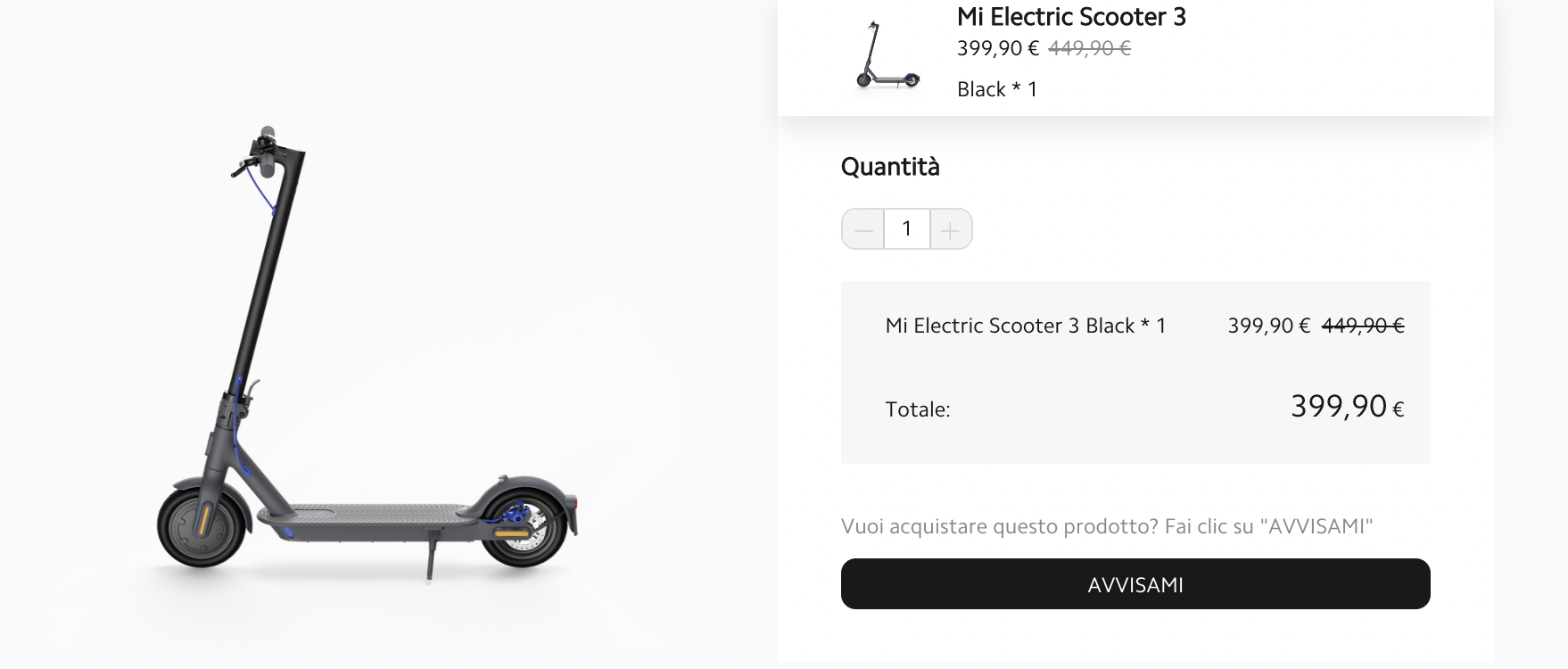
Form for the Back-in-Stock alert
The form for the Back-in-Stock alert is an excellent way to turn out-of-stock products into a BOFU lead-magnet.
The automatic replacement of the "Add to Cart" button with a form like this on the page of an out-of-stock product is possible with leading Marketing Automation software for e-commerce such as Klaviyo.
Customers can leave their email address and receive a notification as soon as the product is back in stock.
This way, e-commerce brands can continue to generate interest in their products, even when they are temporarily out of stock.
How to integrate forms for back-in-stock alert into an effective strategy?
First of all, let's not forget that, like all forms, they represent a potential entry point into the Funnel of our Sand-Mill.
My advice is to structure a welcome sequence specifically for new contacts waiting for the Back-in-Stock.
The Welcome Sequence consists of a series of automated emails that are sent to new contacts; we have discussed the different welcome sequences that an e-commerce should create in this article.
In this case, the trigger is the completion of the form "Notify me when the product is back in stock".
As followers of the Sand-Mill Model will know, it is worth segmenting leads and customers.
This allows you to maximize relevance and effectively monitor performance and conversion rates of the campaign on the two main groups of our database: leads (in the Funnel) and customers (in the Wheel).
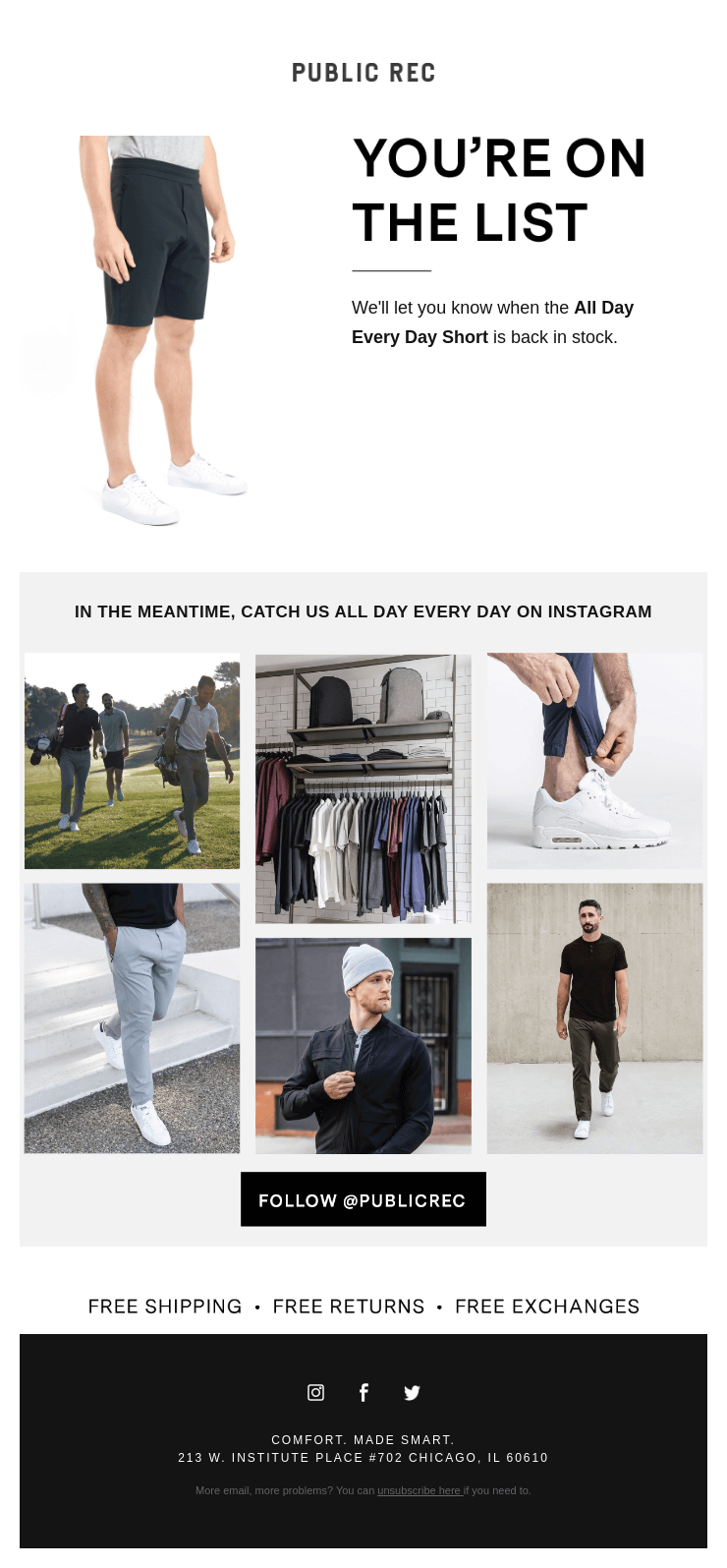
In the automatic emails sent after filling out this form, we can:
Some tips:
When the product is finally back in stock, we can automate a Back-in-Stock notification email.
Or better yet, a sequence!
Notification sequence for Back-In-Stock
The back-in-stock notification sequence is a series of automated emails that are sent to customers who have signed up for the back-in-stock alert form as soon as the product is available again.
These emails aim to inform customers that the product is back in stock and encourage them to make a purchase before it goes out of stock again.
My advice is to set up 2-3 automatic emails, with verification before sending each of them, ensuring that the user has not already purchased the product in question.
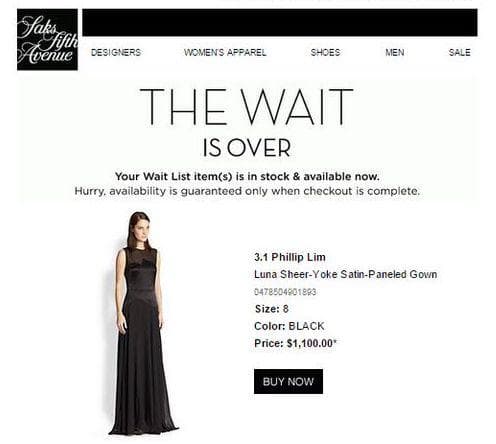
A template for the back-in-stock sequence is like this:
Only if the re-stock is for a product that is once again in limited quantities, it may be worth creating urgency for those who haven't purchased yet with a third email:
For contacts for which we have the phone number, we can also consider sending an SMS, maybe a couple of days after the first email if it hasn't converted.
After all, the user explicitly asked us to be notified, so this is one of the few cases where we are authorized to insist.
Some errors I have seen being made:
Don't do them!
DEM for the Back-In-Stock
Using newsletters to announce back-in-stock is a great way to generate demand across the entire database or in specific segments.
The scarcity of a product that has been sold out conveys social proof. The newsletter can communicate the return in stock of the product with lifestyle images, descriptions, ratings, and reviews. The call to action is a direct link for purchase.

Unlike automations, which use a standard template and dynamic products, creating an ad hoc email to be sent as a DEM can have advantages.
For example, it allows for more impactful graphics.

Furthermore, newsletters can include all the products that have returned to stock within a certain period, as in the example provided by the Aureum brand.
This is another difference compared to automations, which are instead specific to the product for which the user has shown interest.
I also like to use newsletters a little before the return in stock for an additional strategy: pre-order of a best-seller that is about to come back.
We can replicate the structure of a real launch to announce the return of a best-selling product in e-commerce.
Why do I like launch strategies on a pre-order of an out-of-stock product?
Simple: they allow us to test interest in the product that is about to become available again, generate engagement by opening a conversation with specific audience segments and... stimulate new purchases.
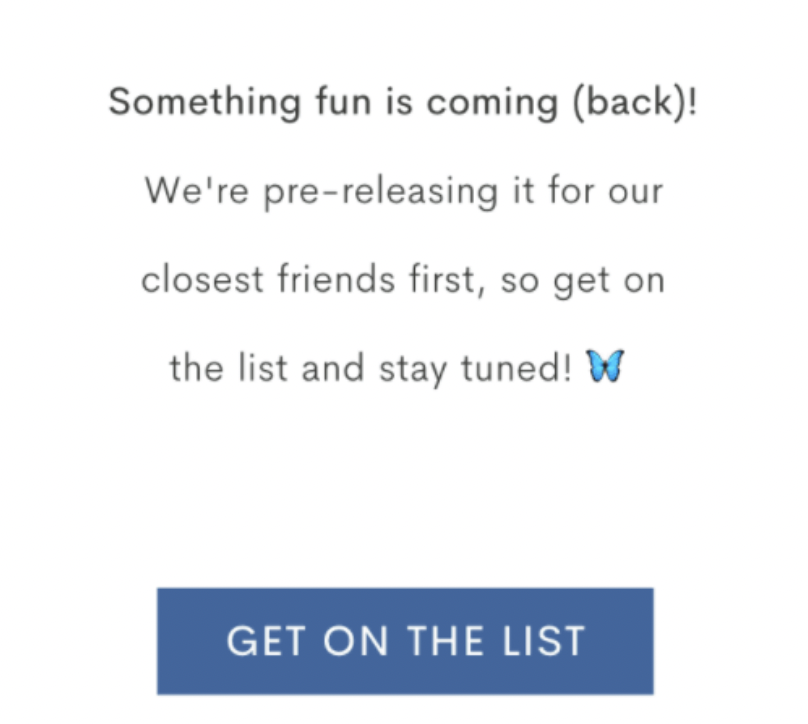
You activate it when you are aware of the time frame within which the products will be available again (and therefore when we can reasonably send them to our customers).
We can build a custom landing page, where we can invite contacts to pre-order the product to ensure it for themselves first, perhaps on favorable terms.
Thanks to pre-orders, it's also possible to manage cash flow dynamically, adapting the strategy to the needs.
By requiring an advance payment, we can generate a cash flow even before the product becomes available again.
Advanced tips for a successful Back-In-Stock
Analyze the digital body language
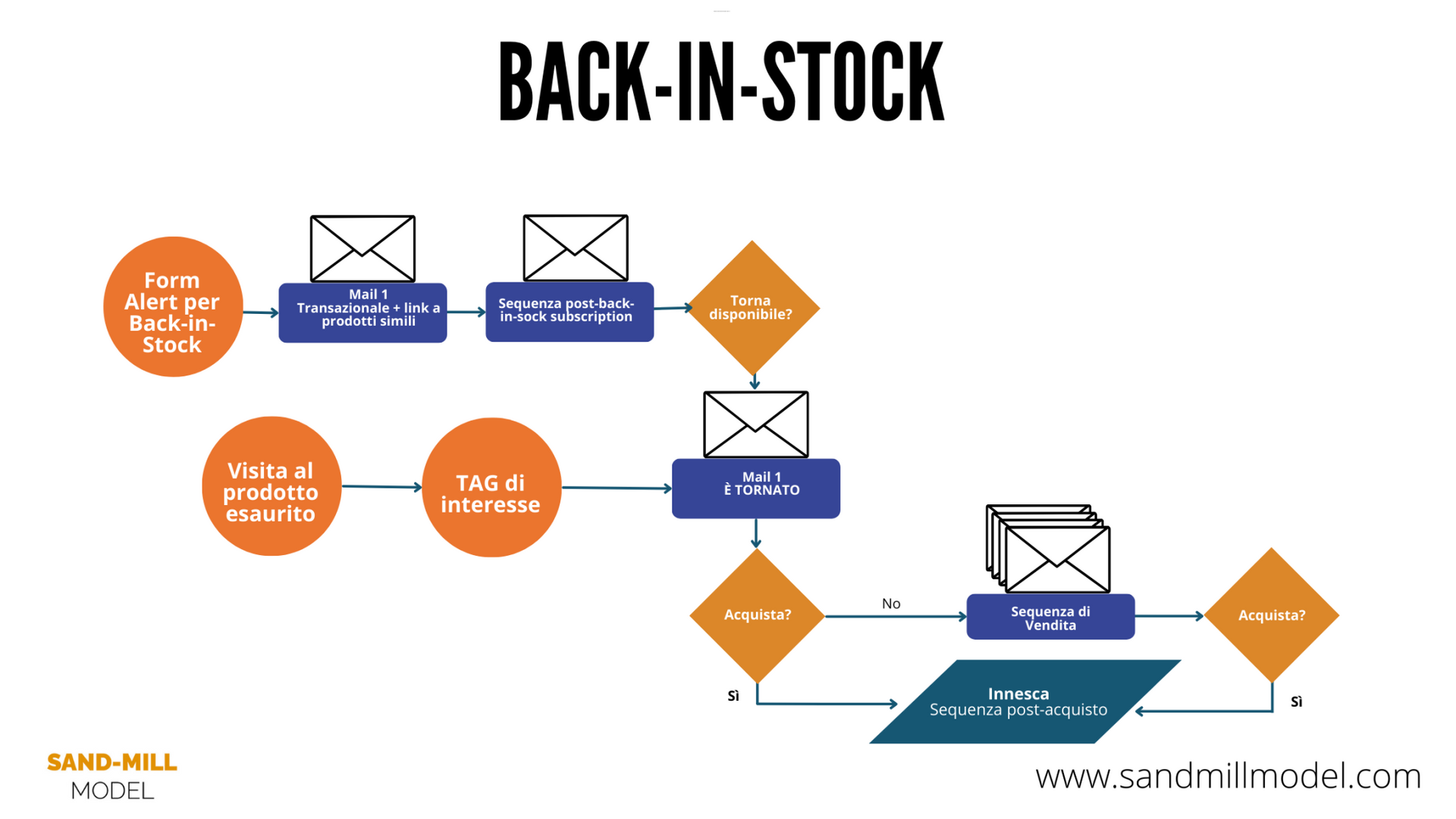
You can know that one of your leads is interested in an out-of-stock product even if they don't fill out the form to receive the back-in-stock notification.
How? By analyzing the digital body language (which involves monitoring browsing data).
This allows you to segment with a tag the monitored leads who visit the page of an out-of-stock product.
This way you will have tracked the interest of the contact and you can send an email to notify specific contacts who viewed it about the re-stock.
To do this you will need to:
I find it useful in projects where I follow brands with a wide range of products: in these cases, they do not want to send the restock alert to all contacts with a massive newsletter, but to target specifically those who have shown some form of interest. Sometimes I include among the recipients those who have purchased similar products.
Include elements of the Advocacy Base
“Sold out” is already a very powerful social proof tool.
But do you want your back-in-stock to be truly irresistible?
Include the touch-points generated by users of your Advocacy Base.
For example, you can use reviews, quotes, and ratings to make the effectiveness of your product even more evident.
Conclusions
In conclusion, adding a form to allow visitors of your e-commerce to receive a back-in-stock notification can be an effective solution to turn sold-out products into a lead-magnet.
By using a specific email sequence, you can keep users interested, suggest alternatives, and increase conversion opportunities when the product becomes available again.
Furthermore, by using advanced techniques to monitor interest such as analyzing the digital body language, you can send effective emails to all monitored contacts who have viewed the out-of-stock product.
With the right tools and an effective strategy, e-commerce businesses can turn out-of-stock into an opportunity to generate leads and increase sales.
The part that I personally like the most? By analyzing seasonal data and conversion rates, a back-in-stock product launch strategy can be developed that ensures revenue peaks distributed throughout the year.
In different niche markets or with limited artisanal production, this is a real boost for revenue, which can make a difference!
